How to Watch TV From Home Abroad: The Expat's Guide for 2026
How to watch TV from home abroad: what works legally, from EU portability rules to IPTV, why broadcaster apps block you, and how to set it up in your new home.
By Net IPTV Editorial TeamUpdated 14 min read
On this page
- Quick questions
- Why TV apps stop working abroad
- 6 ways to watch TV from home abroad
- EU portability: what it covers and what it doesn’t
- Watching UK, US and other home TV abroad
- About VPNs and geo-blocking
- IPTV for expats: what to look for
- Setting up TV in your new home abroad
- Costs: what expats actually pay
- Common mistakes expats make with home TV
- Devices to bring with you, or buy locally
- Watching live sport from home while abroad
- Home TV for children and language learning
- Checklist before you move abroad
- Internet abroad: what to check in a new home
- Keeping up with home news and radio
- Conclusion
To watch TV from home abroad, you have six realistic options: EU portability for your paid subscriptions, international editions of streaming apps, your home broadcasters’ own apps (often blocked outside the country), satellite, local pay TV with international channels, and an IPTV service with the channels you want. Which one works for you depends on where you’ve moved from, where you live now, and whether you want on-demand series or live channels with a programme guide.
This guide is for expats, students, retirees and frequent travellers: anyone who wants their home channels, in their own language, wherever they are. It explains what is legal, why apps that work at home suddenly stop working abroad, and how to set up a reliable TV corner in your new home.
Quick questions
- Why do my TV apps stop working abroad?
- What are my options for home TV abroad?
- Do EU rules let me use my subscriptions abroad?
- Is IPTV a good option for expats?
Why TV apps stop working abroad
TV apps stop working abroad because broadcasting rights are sold country by country. A broadcaster that buys the rights to a series or a football league for its home market usually isn’t allowed to show it elsewhere, so its app checks where you are, typically through your IP address, and blocks viewers outside the licensed territory.
This is called geo-blocking, and it’s a contractual issue rather than a technical one. The same programme might be licensed to a completely different company in your new country, so your home app has no right to show it there. That’s why:
- Broadcaster apps (catch-up and live apps from national TV channels) often stop working the moment you leave the country.
- Streaming catalogues such as Netflix differ by country: the same app shows a different library depending on where you are.
- Sports rights are the strictest of all, sold separately for each market and often for each season.
Understanding this helps you choose: the reliable solutions are the ones licensed for where you actually are, not the ones that try to hide where you are.
6 ways to watch TV from home abroad
There are six realistic ways to watch your home TV abroad, each with different strengths. Portability and international streaming apps are simple but limited; satellite and local pay TV are local and fixed; IPTV is the most flexible for live channels, as long as you choose a licensed, stable service.
| Option | Best for | Limitations |
|---|---|---|
| 1. EU portability (paid subscriptions) | EU residents travelling within the EU | Temporary stays only; paid services; not the UK since Brexit |
| 2. International streaming apps | Series and films | Catalogue changes by country; few live channels |
| 3. Home broadcaster apps | Catch-up at home | Usually geo-blocked abroad |
| 4. Satellite | Large live line-ups near your home country | Dish installation; patchy coverage; tied to one address |
| 5. Local pay TV with international channels | International news and some foreign channels | Limited selection, local contracts |
| 6. IPTV subscription | Live channels with an EPG in your language, on any device | Quality depends on your connection; licensing varies by provider |
Most expat households end up combining two: an international streaming app for series, plus either local pay TV or an IPTV service for live channels, news and sport.
EU portability: what it covers and what it doesn’t
If you live in the EU and pay for an online video service at home, the EU Portability Regulation (EU) 2017/1128 lets you keep using it while you’re temporarily in another EU country. It has applied since 2018, and it’s the simplest legal option for holidays, business trips and study stays within the EU.
What it covers:
- Paid online content services you subscribe to in your EU country of residence, including streaming apps and many pay-TV apps.
- Temporary stays in another EU member state: holidays, business trips, a semester abroad.
- The same content you get at home, without extra charges for portability.
What it doesn’t cover:
- Moving abroad permanently. The regulation is for temporary presence; providers can verify your country of residence.
- Free services. Free broadcaster apps can choose to offer portability, but they aren’t obliged to.
- Countries outside the EU. Portability doesn’t apply when you travel outside the EU, and since Brexit the UK is no longer covered: UK services don’t have to work in the EU, and EU services don’t have to work in the UK.
So portability is ideal for EU residents on the move, but it doesn’t solve the problem for expats who have settled in a new country.
Watching UK, US and other home TV abroad
Each country’s broadcasters handle viewers abroad differently, but the pattern is consistent: free catch-up apps are usually restricted to the home country, while content is sold separately to broadcasters and streaming services in other markets. The legitimate route is to find who holds the rights where you live.
UK TV abroad. BBC iPlayer is designed for viewers in the UK and also requires a UK TV licence, so it blocks access from abroad. Other UK broadcaster apps are generally UK-only too. Many British series are sold internationally, so the same shows often appear on streaming services or local channels in your new country.
US TV abroad. Most US network and streaming apps are licensed for the US only, and live TV streaming services typically require a US location. US series and films are widely licensed abroad, but under different services and often on a delay.
Other home countries. Many national broadcasters offer an international channel or package designed specifically for citizens abroad, and diaspora channel packs, for example in Arabic, Hindi or Portuguese, are often available through IPTV and pay-TV platforms.
Country-by-country rules. The law and enforcement around streaming differ a lot between countries. Germany is a good example of how strict it can be: our guide to IPTV in Germany covers the legal situation, the 2026 crackdown on unlicensed services and the licensed alternatives available there.
About VPNs and geo-blocking
A VPN routes your traffic through a server in another country, which can make a geo-blocked app think you’re at home. Using a VPN is legal in most countries, but many streaming services forbid it in their terms, actively block VPN traffic, and may restrict accounts that use one. Some countries also restrict VPNs.
That makes VPNs an unreliable foundation for your TV at home abroad:
- Terms of service. Breaking a service’s terms can get your account suspended, even if the VPN itself is legal.
- Constant blocking. Streaming services block known VPN servers, so what works this week may fail next week.
- Quality. Routing video through a distant server adds latency and can reduce picture quality, especially for live sport.
- Licensing doesn’t change. A VPN hides where you are; it doesn’t make content licensed for where you are.
VPNs have legitimate uses, such as privacy on public Wi-Fi, but we don’t recommend building your viewing around getting past geo-blocks.
IPTV for expats: what to look for
IPTV is popular with expats because it delivers live channels with a programme guide, in your language, on any device and in any country with a good internet connection. The key is choosing a service that is licensed for what it carries, stable on your new connection, and flexible enough for a household split across time zones.
What matters most for expats:
- The channels and language you need. Check the specific channels, and whether audio and subtitles are available in your language.
- A programme guide in your local time. The EPG should let you set your time zone, so listings match your clock.
- Catch-up. Several days of catch-up lets you watch the evening news or a late match the next morning.
- Simultaneous connections. Enough screens for the household, and for family members back home only if the plan allows it.
- Devices. Works on whatever you have locally, from a Smart TV bought in your new country to a streaming stick you brought with you.
- Transparency and licensing. A real company, published terms and a refund policy, and a line-up that’s plausible for its price.
A note on availability: a small number of channels are geo-restricted by the broadcasters themselves, so even on IPTV the line-up abroad can differ from what you’d see at home. A good provider tells you this upfront rather than promising everything.
Setting up TV in your new home abroad
Setting up TV abroad usually takes less than an hour: check your internet connection, choose your device, install a player app, sign in, and set the programme guide to your local time zone. The details that cause problems abroad are the internet contract, the device’s account country and the Wi-Fi layout of a new flat.
- Check your connection. Aim for a stable 15 Mbps per Full HD stream, 25 Mbps for 4K. Rental flats often have a weak router far from the TV, so test speeds where the TV actually is.
- Choose the device. A local Smart TV works, but a streaming stick (Fire TV Stick, Chromecast with Google TV, Apple TV) gives you a familiar interface wherever you move.
- Mind the account country. App stores on TVs and sticks show apps based on your account’s country, so some apps may not appear if you change it.
- Install a player and sign in.
- Set your time zone. Set it in both the device and the player, so the guide and catch-up line up with your day.
- Wire it if you can. An Ethernet cable to the TV, or a mesh Wi-Fi point nearby, prevents most buffering.
Costs: what expats actually pay
The cost of watching home TV abroad ranges from nothing (portability on subscriptions you already pay for) to a full local pay-TV package plus streaming apps. Many expats overspend by stacking several subscriptions that each cover a fraction of what they watch.
A sensible way to budget:
- Start with what you already pay for. Check which of your existing subscriptions work where you are, through portability or an international edition.
- List the live channels you actually watch weekly. Most people watch far fewer than they think.
- Price the gap. Compare one service that covers those channels with the cost of several partial ones.
- Remember local fees. Some countries charge a household broadcasting fee regardless of what you watch; Germany’s Rundfunkbeitrag is one example.
- Prefer short terms first. Abroad, connection quality is less predictable, so trial or a short plan before committing to a year.
For reference, Net IPTV’s plans and the connections each includes are listed on our pricing page.
Common mistakes expats make with home TV
Most expat TV frustrations come from five avoidable mistakes: relying on geo-blocked apps, paying for a long plan before testing the connection, ignoring time zones, sharing one login across countries, and choosing a provider on price alone. Each one costs time or money, and each is easy to avoid.
- Relying on apps that geo-block. If your plan depends on a home broadcaster’s app, expect it to stop working.
- Buying a year upfront without a test. Your new connection might not be what the contract promised.
- Ignoring time zones. Without catch-up and a local-time guide, live TV from home becomes TV at 3 a.m.
- Sharing one login across households. Most services limit simultaneous connections and may suspend shared accounts.
- Choosing on price alone. The cheapest “all channels” offer is usually the least stable and the most likely to vanish.
Devices to bring with you, or buy locally
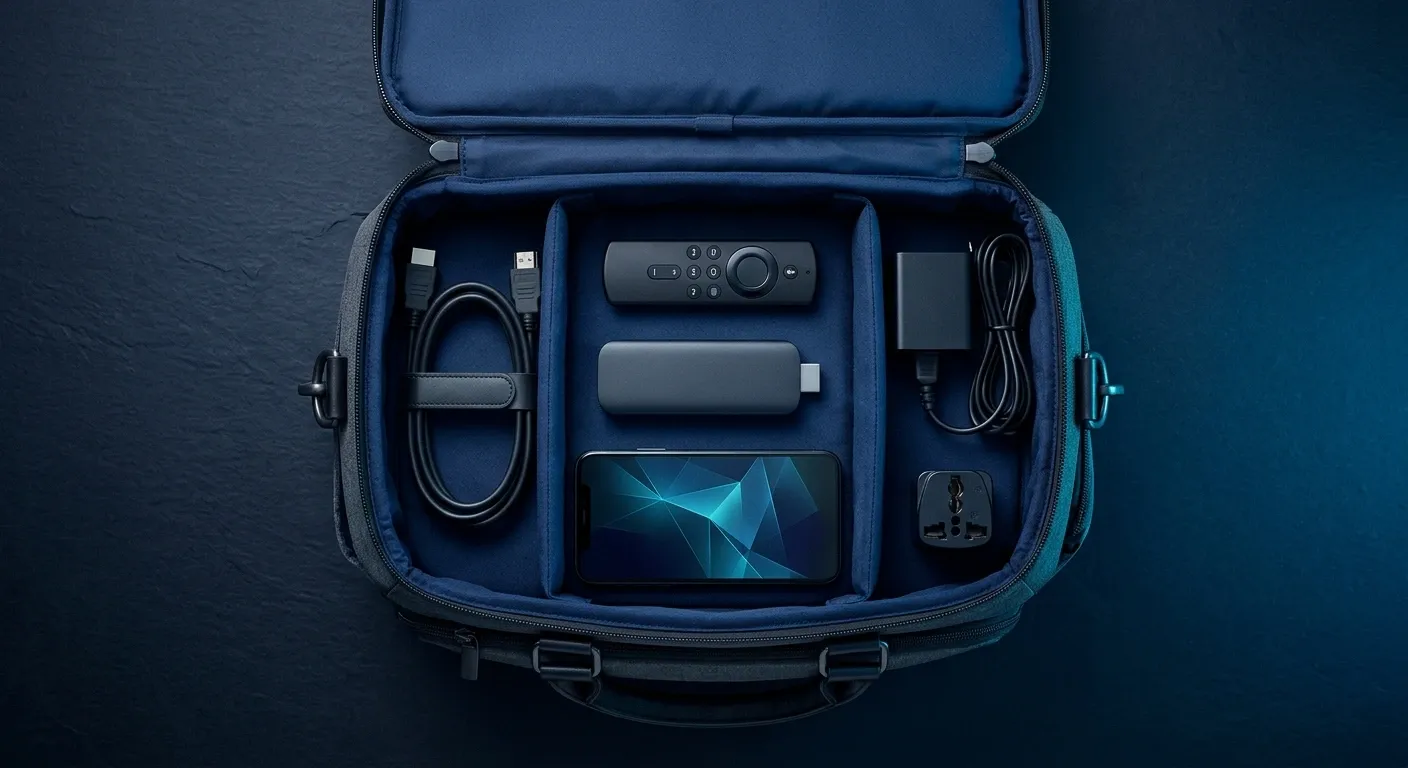
The most expat-proof setup is a streaming stick or box you bring from home, plugged into whatever TV you have abroad. It keeps your familiar interface, works with almost any TV with an HDMI port, and moves with you if you change flats or countries again.
What to consider:
- Streaming sticks travel well. A Fire TV Stick, Chromecast with Google TV or Apple TV fits in a pocket and works with almost any modern TV.
- Check the power supply. Most stick adapters handle 100–240 V, but you may need a plug adapter.
- Smart TVs bought locally work fine for IPTV, but their app store reflects the local market, so your favourite player may not be listed.
- Account country matters. Changing the country on your device account can change which apps appear in its store, so think before switching.
- Phones and tablets are the simplest backup screen, especially for watching in a different room or while travelling.
If you’ll be moving between countries often, choose a player that’s available on several platforms, so a new TV doesn’t mean starting from scratch.
Watching live sport from home while abroad
Live sport is the hardest thing to watch from home abroad, because sports rights are sold separately in every country and often split between several broadcasters. The match you’d watch on one channel at home may be on a completely different service, or on none at all, where you live now.
How to approach it:
- Find the local rights holder. Your league or competition is usually broadcast in your new country too, often with commentary options.
- Check portability first. If you’re an EU resident on a temporary stay with a paid sports subscription, portability may cover you.
- Mind kick-off times. A Saturday afternoon match at home can be an early-morning or late-night kick-off abroad; catch-up matters.
- Test before big events. Live sport is the most demanding thing your connection will stream, so check stability well before a final or a derby.
- Be wary of “every match” offers. Rights are rarely available as a single cheap bundle anywhere; offers that claim otherwise are usually unlicensed.
For a detailed example of how sports rights work in one country, see how the Bundesliga is split between broadcasters in our IPTV Germany guide.
Home TV for children and language learning
For families abroad, home TV is often less about nostalgia and more about language: children’s programmes in your own language help children keep it alive, and local channels with subtitles help the whole family learn the new one. Multi-language audio and subtitles make both possible on one service.
- Children’s channels in your language keep vocabulary and culture alive alongside the local school language.
- Subtitles in the local language on familiar shows are an easy, low-effort learning tool for adults and teenagers.
- Parental controls in many player apps let you lock adult channels or categories behind a PIN.
- Catch-up lets children watch favourite programmes at a sensible hour despite the time difference.
Checklist before you move abroad
A little preparation before you move saves weeks of frustration with TV abroad. Check what your current subscriptions allow abroad, sort out the devices you’ll take, plan your internet connection, and test the service you intend to use as early as you can.
- List your current subscriptions and check which work abroad, through portability, an international edition, or not at all.
- Cancel or pause services that won’t work where you’re going, before they renew.
- Pack a streaming stick, its remote, the power adapter and a plug adapter.
- Ask about internet early. In some countries, getting a home connection installed takes weeks.
- Write down your logins for the services you’ll keep.
- Plan for the first weeks, when you may be on mobile data or temporary Wi-Fi: lower stream quality helps.
- Start a trial of any new service once you have your real connection, not before.
Internet abroad: what to check in a new home
The internet connection decides whether TV from home works abroad, and it varies far more between countries and buildings than people expect. Before signing a rental contract or an internet plan, check the real speed where the TV will be, whether the line is shared, and how long installation takes.
- Ask for the actual technology. Fibre and cable are usually stable; older copper lines and some shared building connections struggle at peak times.
- Test at the TV, not at the router. A speed test on your phone next to the TV shows what the stream will get.
- Check for data caps. Some countries still sell capped home plans, and 4K streaming uses data quickly.
- Ask about installation times. In some countries a new line takes weeks; a mobile router can bridge the gap.
- Consider mobile broadband as a backup. A 4G or 5G router is a useful fallback when the fixed line fails.
Keeping up with home news and radio
News is often what expats miss most, and it’s also the easiest part of home TV to keep. Many broadcasters publish news programmes, radio and podcasts that are available internationally, and live news channels are among the most widely carried channels on IPTV and pay-TV platforms.
- International news channels are widely available abroad through local pay TV and IPTV.
- Radio and podcasts from home broadcasters are often accessible worldwide through their apps and websites.
- Catch-up for the evening news solves the time-zone problem for daily bulletins.
- Local-language news with subtitles is a gentle way to follow your new country’s current affairs.
Conclusion
Watching TV from home abroad is easier than ever if you choose routes that are licensed for where you are: EU portability for paid subscriptions on temporary stays, international streaming apps for series, and a transparent, stable IPTV service for live channels in your language. Test on your actual connection, set the guide to your local time, and don’t build your evenings around geo-blocked apps. When you’re ready, ask Net IPTV for a free trial on your new connection.
Frequently asked questions
Is it legal to watch TV from my home country while living abroad?
Watching licensed services is legal; the question is whether the service is licensed for the country you're in. Paid EU services must work while you're temporarily in another EU country, but many broadcaster apps are licensed for their home country only. Check each service's terms, and the law where you live.
Can I use BBC iPlayer abroad?
BBC iPlayer is designed for viewers in the UK and requires a TV licence. Outside the UK, the app blocks access. Some BBC content is sold internationally through other services, which is the legitimate route to watch it abroad.
Does a VPN let me watch my home TV abroad?
A VPN can make your connection appear to come from your home country, and using one is legal in most countries. But many streaming services prohibit this in their terms and actively block VPNs, and some countries restrict VPN use. It's a grey and unreliable route rather than a recommended one.
What internet speed do I need to watch TV abroad?
The same as at home: around 8 Mbps per stream for HD, 15 Mbps for Full HD and 25 Mbps for 4K. Connections vary a lot between countries and buildings, so test the service on your actual connection before paying for a long plan.
Can I take my Fire TV Stick or Apple TV abroad?
Yes. Streaming devices work anywhere with an internet connection and a compatible power supply. App availability can depend on the country of your account, so some apps may not appear in the store if your account country changes.
How do I deal with time zone differences?
Use catch-up or replay features so you can watch the evening news or a late match the next morning, and set your player's programme guide to your local time zone so listings match your clock.
Try it on your own screen
22,000+ live channels and 80,000+ films and series. Ask for a free trial and check the picture on your own connection before you pay.
Net IPTV Editorial Team
Streaming & setup specialists
Our editorial team tests every player app, device and setup step on real hardware and real connections before it goes into a guide. We update articles when apps, prices or menus change.